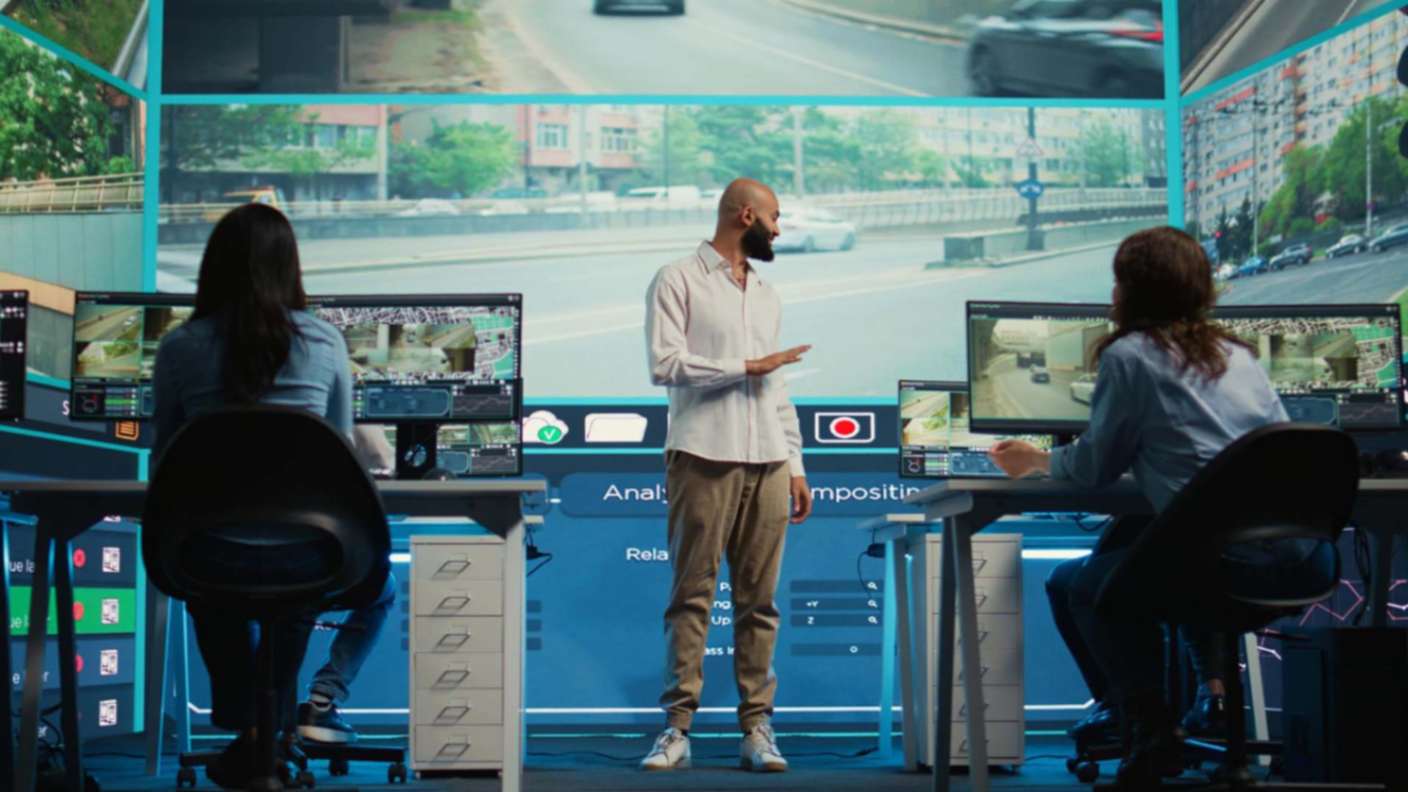
Stepping into a conference room where the display is crisp, the audio is clear, and every device works seamlessly creates a lasting impression. This level of performance does not happen by chance. Maintaining and upgrading your commercial audio visual solutions ensures consistent functionality, enhances presentations, and strengthens your professional image.
Proper upkeep and strategic improvements allow businesses to leverage technology effectively while avoiding costly interruptions. This blog outlines key strategies to keep your AV systems operating at peak performance and identifies opportunities for thoughtful upgrades.
1. Establish a Regular Maintenance Schedule
Routine maintenance is essential for ensuring reliability. Inspecting equipment, testing connections, and cleaning components on a regular schedule prevents small issues from escalating into system failures. Dust buildup, loose cables, and worn parts are common causes of technical problems and can be addressed through consistent monitoring.
Professional teams should document maintenance procedures and checklists for projectors, audio mixers, speakers, and video conferencing systems to ensure every component receives attention.
2. Prioritize High-Quality Equipment
Investing in quality components provides long-term benefits. Reliable projectors, speakers, and control systems reduce downtime and deliver superior performance. Cost savings achieved by selecting lower-quality alternatives are often outweighed by frequent repairs and replacements.
Businesses should focus on mission-critical devices first, ensuring that high-usage equipment meets performance standards.
3. Implement Preventive Troubleshooting
Identifying potential issues before they disrupt operations is critical. Conducting regular diagnostic tests, monitoring system performance, and checking for early warning signs such as flickering screens or distorted audio help prevent operational interruptions.
Training staff to recognize and report minor problems ensures that issues are resolved promptly, reducing the risk of major system failures.
4. Keep Software and Firmware Updated
Many modern AV systems rely on software and firmware for optimal performance. Updates often improve functionality, enhance security, and introduce new features. Ignoring updates can lead to reduced system efficiency and potential vulnerabilities.
Updates should be scheduled during periods of low usage to minimize disruption. Backing up settings before updating safeguards and customized configurations.
5. Optimize Room Acoustics and Lighting
Even high-quality AV equipment can underperform if the environment is not properly prepared. Effective acoustics enhance sound clarity, while proper lighting ensures visuals are easily visible. Sound-absorbing materials and adjustable lighting solutions help create an optimal presentation environment.
Portable acoustic treatments and flexible lighting configurations offer adaptability for multi-purpose spaces, ensuring consistent performance across various scenarios.
6. Provide Staff Training
Proper training ensures that employees can operate systems efficiently and address minor issues independently. Training should cover control systems, video conferencing tools, and multimedia operations.
Providing reference guides or quick-access resources streamlines daily use and minimizes downtime caused by operational errors.
7. Plan Strategic Upgrades
Upgrading AV systems should focus on improving performance, reliability, and future-readiness. Regular assessments can identify outdated components or limitations that affect productivity.
Modern upgrades may include high-resolution displays, advanced audio systems, wireless collaboration tools, and integrated control platforms. Prioritizing upgrades based on business objectives, such as remote conferencing capabilities, maximizes investment value.
8. Engage Professional Support
Certified technicians provide preventive maintenance, troubleshooting, and guidance for strategic upgrades. Professional support ensures minimal downtime and immediate resolution of technical issues.
Service contracts with trusted commercial audio visual solutions providers guarantee access to expert assistance and proactive system management, enhancing operational efficiency.
9. Maintain Proper Cable Management
Proper cable organization prevents connectivity issues, reduces safety risks, and simplifies troubleshooting. Cable trays, ties, and labeling help maintain a neat and efficient setup.
Color-coded or labeled cables improve system management and reduce the likelihood of accidental disconnections during presentations or events.
10. Utilize Analytics and Feedback
AV systems equipped with usage analytics provide insights into performance, equipment utilization, and potential issues. Collecting user feedback helps identify areas for improvement and informs strategic upgrade decisions.
Regular analysis of system data allows businesses to optimize settings, improve layouts, and make informed investment choices.
11. Ensure Scalability for Future Growth
As technology evolves, AV systems should be able to accommodate new tools, devices, and larger spaces. Modular systems offer flexibility, allowing components to be upgraded individually without requiring a complete overhaul. Scalable solutions protect long-term investment and support expanding business needs.
12. Focus on Energy Efficiency
Energy-efficient equipment reduces operating costs and aligns with sustainability goals. Implementing LED projectors, low-power audio components, and smart power management contributes to long-term savings.
Policies for powering down equipment when not in use further enhance energy efficiency and reduce unnecessary expenses.
13. Conduct Periodic Performance Reviews
Regular performance evaluations ensure AV systems continue to operate at optimal levels. Testing equipment, simulating usage scenarios, and verifying compatibility across devices identifies potential issues early.
Documenting findings and tracking improvements over time supports ongoing reliability and informed upgrade planning.
14. Integrate Remote Management Capabilities
Remote management tools enable monitoring, configuration, and troubleshooting without requiring on-site presence. These tools improve efficiency, particularly for hybrid work environments or distributed teams.
Securing remote access with appropriate authentication ensures system integrity while allowing flexible management.
15. Recognize When Replacement is Needed
There is a point when repairing outdated equipment is less cost-effective than upgrading. Consistent underperformance, frequent failures, or limited functionality indicate that replacement is necessary.
Evaluating the return on investment of repairs versus new equipment ensures that AV systems remain reliable and capable of meeting business requirements.
Conclusion: Maximizing the Value of Commercial Audio Visual Solutions
Maintaining and upgrading commercial audio visual solutions is essential for operational efficiency, professional presentations, and a positive business impression. By implementing structured maintenance schedules, leveraging professional support, and adopting strategic upgrades, businesses can ensure reliable performance and future-readiness.
Properly managed AV systems enhance communication, improve collaboration, and provide a seamless experience for clients and employees.
Investing in system upkeep and smart improvements is not just a technical necessity; it is a key component of modern business success. At A2V, we deliver innovative technology and expert services to elevate your spaces with seamless sound and visuals.
Our team specializes in audio visual solutions, ensuring every setup offers peak performance, efficiency, and an immersive experience.